The AI Glossary for HR Leaders
Every term you keep hearing, finally explained
This glossary defines 31 AI terms HR leaders encounter most in 2025-2026 - from AGI and LLMs to RAG, guardrails, shadow AI and skills taxonomies. Each entry includes a plain-English definition, specific HR context, and a one-line cheat sheet. Use it before vendor demos, board conversations, or any AI strategy session.
I recently started running AI workshops with HR and People teams. At some point in almost every session, someone asks me what a specific term means - and the rest of the room looks relieved when someone finally asks.
So I started keeping a list of the terms that keep coming up - including the ones I had to ask my own team about - explained in a way that I think makes sense.
If you're an HR leader sitting in a vendor demo, a board conversation, or an AI strategy session and something comes up that you don't recognise - it's probably in here. And if it isn't, send it to me and I'll add it.
AGI (Artificial General Intelligence)
StrategicWhat it is
AGI is a hypothetical AI that can think, reason and learn across any domain the way a human can. It doesn't exist yet. The AI tools everyone is using right now are nowhere near it. One step beyond AGI is ASI - Artificial Superintelligence - which describes an AI that surpasses human intelligence across every domain. That's even further away, and even more argued about.
What it means for HR
Not much, right now. AGI is a research goal, not a product you can buy or a workforce risk you need a policy for today. If someone in your leadership team is treating it as an immediate concern, gently redirect the conversation to the AI tools you're actually using.
AI Agent
EmergingWhat it is
An AI agent can take actions on your behalf - not just answer questions, but actually do things. Browse the web, send emails, book meetings, trigger workflows, make decisions across multiple steps without you directing every one.
What it means for HR
Agent use cases are starting to appear in recruitment coordination, onboarding orchestration, HR help desk automation and internal talent matching. The key governance question is always: where does a human need to stay in the loop, and where can the agent be trusted to run independently? Those are not the same answer for every task.
Agentic AI
EmergingWhat it is
Agentic AI describes AI systems designed to operate with greater autonomy - planning, deciding and acting across multiple steps rather than responding to a single prompt. It's the adjective version of "AI agent" and describes a whole category of AI behaviour rather than a specific tool.
What it means for HR
When something is described as "agentic," it means the AI isn't waiting to be asked - it's working through a sequence of actions toward a goal. That's a meaningful shift for HR workflows. An agentic system handling onboarding isn't just answering questions about the process, it's moving through the steps. Understanding the difference helps you design where human oversight needs to sit.
AI Job Impact
PeopleWhat it is
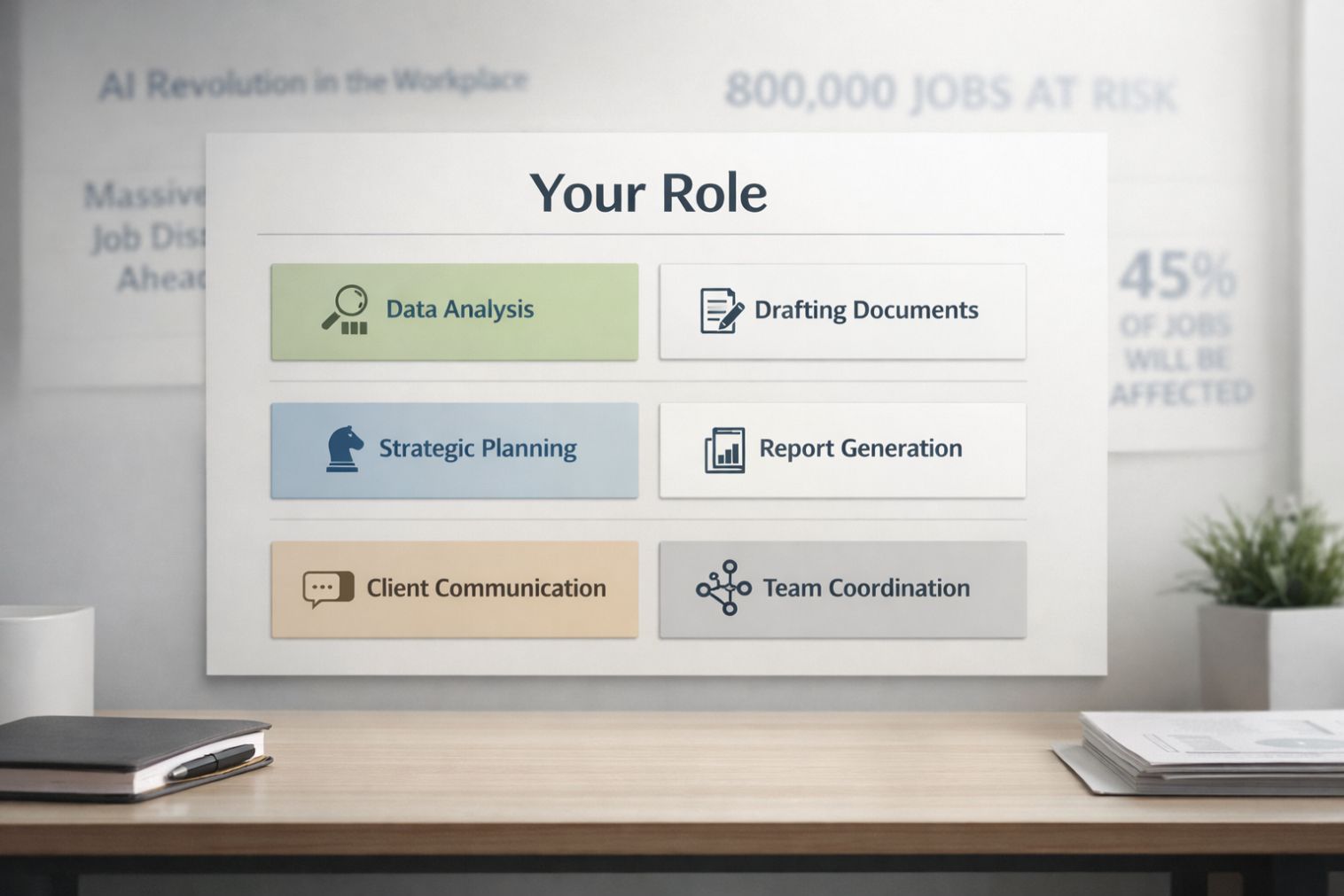
AI job impact refers to the effect AI is having on specific roles, tasks and skills. Not "AI will change everything" - but which tasks within a role are being automated, which are being augmented, and which remain distinctly human. The impact varies enormously depending on what someone actually does day to day.
What it means for HR
This is the analysis most HR teams haven't done yet. Understanding AI's impact at the task level - not the role level - is what makes workforce planning, job redesign and skills investment decisions actually useful rather than theoretical.
GoFIGR's AI Impact Assessment maps this across roles and functions. If you want to start with your own role, the free version takes a few minutes.
AI Readiness
StrategicWhat it is
AI readiness describes how prepared an organisation - or an individual - is to adopt, use and govern AI effectively. It covers skills, infrastructure, data quality, culture, governance frameworks and leadership alignment. Most organisations overestimate their readiness until they try to deploy something.
What it means for HR
AI readiness sits squarely in HR's remit whether it's been formally handed over or not. Skills assessment, change management, training design, psychological safety - these are all readiness levers. The function most asked to help the organisation get ready is often doing it without a clear picture of its own readiness first.
AI Washing
GovernanceWhat it is
AI washing is when a company overstates or misrepresents the role of AI in their product - claiming AI-powered capabilities that are either absent, minimal, or no different from what the product did before the AI rebrand. It's the AI equivalent of greenwashing and it's rampant in tech right now.
What it means for HR
In every vendor demo, ask: which foundation model does this run on, what does the AI actually do versus the traditional software, and can you show me a case where it got something wrong?
Augmentation vs Automation
StrategicWhat it is
Augmentation means AI enhances what a human does - making them faster, more capable, better informed. Automation means AI replaces a task entirely, with no human in the loop. Most real AI deployments involve both, and the choice between them is a design decision, not a technical one.
What it means for HR
This distinction should be at the centre of every AI implementation conversation HR has. Which tasks are we augmenting, which are we automating, who stays in the loop, and what does the human bring that the AI can't? Getting this right matters for productivity, for trust, and for the people whose jobs are being redesigned around it.
Chatbot
TechnicalWhat it is
A chatbot is software that has a text-based conversation with a user. Old chatbots followed rigid scripts. Modern AI-powered chatbots use large language models and can handle open-ended, nuanced conversations. Both get called chatbots, which is part of why people are confused.
What it means for HR
If someone proposes a chatbot for HR queries, onboarding or employee support, the first question is what's powering it. A scripted chatbot is cheap and limited. An LLM-powered one is more capable but needs governance, especially around sensitive employee information.
Copilot
TechnicalWhat it is
Copilot is Microsoft's brand for AI embedded across its products - Word, Outlook, Excel, Teams, and more. More broadly, "copilot" describes any AI assistant built into tools you already use, sitting alongside your work rather than requiring you to go somewhere else.
What it means for HR
Copilot is probably already switched on in your organisation if you're on Microsoft 365. The question isn't whether to use it - it's whether your team knows they can, knows how to use it well, and understands what they're still responsible for even when AI drafted the output.
Digital Worker
EmergingWhat it is
A digital worker is an AI agent given a defined role, persona and set of responsibilities within an organisation - essentially a non-human member of a workflow. Vendors are increasingly using this term instead of "agent" to make the concept more tangible for business audiences.
What it means for HR
If a vendor talks about deploying a "digital worker" in your HR function, they mean an AI agent with a defined job. The same governance questions apply: what can it do, what decisions can it make independently, and where does a human review its work?
Generative AI
TechnicalWhat it is
Generative AI creates new content - text, images, audio, video, code - rather than just analysing or classifying existing content. It's the category that includes ChatGPT, Claude, Midjourney and most of the tools that put AI on your radar.
What it means for HR
Generative AI is probably what your colleagues mean when they say "AI" in most conversations right now. It directly affects knowledge work - writing job descriptions, drafting communications, summarising data, building presentations. The productivity gains are real. So are the risks around accuracy, intellectual property, data security and over-reliance.
Guardrails
GovernanceWhat it is
Guardrails are the constraints built into an AI system to prevent harmful, inappropriate or off-topic outputs. They're why ChatGPT won't help with certain things, and why enterprise AI tools can be configured to stay within defined boundaries.
"When we first tested GoFIGR's AI career coaching feature, without proper guardrails in place it was happily offering lasagne recipes."
- Helena Turpin, Co-Founder, GoFIGRWhat it means for HR
Any AI tool touching employees - for HR queries, performance conversations, recruitment, or wellbeing - needs guardrails reviewed. What can it say? What can't it? Who configured those limits? Can you customise them? These are reasonable procurement questions, not technical ones.
Hallucination
GovernanceWhat it is
Hallucination is when an AI confidently produces information that is completely wrong or made up. The model isn't lying - it has no awareness it's wrong. It's generating plausible-sounding text based on patterns, not checking facts against reality.
What it means for HR
Use caution when relying on AI output for anything factual without verifying it independently - especially policy information, legal references, employee data, statistics or citations.
The rule is simple: AI writes the first draft, humans check the facts.
Human in the Loop
GovernanceWhat it is
Human in the loop means keeping a person involved in an AI-driven process - reviewing outputs, making final decisions, or providing oversight before anything consequential happens. It's the design principle that says AI should assist human judgment, not replace it.
What it means for HR
The EU AI Act is one of the clearest signals yet that regulators expect human oversight in AI-assisted employment decisions, including hiring and performance management. Even outside Europe, the direction is clear: AI-supported people-decisions need to remain explainable, reviewable, and accountable to humans, not fully autonomous black boxes.
LLM (Large Language Model)
TechnicalWhat it is
A large language model is an AI trained on vast amounts of text to understand and generate human language. ChatGPT, Claude, Gemini and Llama are all LLMs. When someone says "AI" in a business context right now, they almost always mean an LLM or something built on top of one.
What it means for HR
Understanding that these tools are language models - not databases, not search engines, not calculators - explains their behaviour. They're excellent at language tasks. They're less reliable for precise facts, numbers or anything requiring a verified source. They generate plausible text, not guaranteed truth.
Machine Learning
TechnicalWhat it is
Machine learning is AI that learns from data rather than following explicitly programmed rules. You feed it examples and it finds the patterns. Most modern AI - including the tools predicting attrition, flagging anomalies in engagement data, or recommending learning content - runs on machine learning.
What it means for HR
Machine learning has been running quietly inside HR software for years - predicting flight risk, personalising learning recommendations, scoring candidates. Generative AI gets the attention, but machine learning is probably already in more of your tools than you realise.
MCP (Model Context Protocol)
TechnicalWhat it is
MCP is an open standard that lets AI models connect to external tools, data sources and systems in a consistent way. Think of it as a universal plug socket for AI - instead of every tool needing a custom integration built from scratch, MCP creates a shared language for those connections.
What it means for HR
As HR functions start connecting AI tools to their existing systems - HRIS, ATS, learning platforms, internal knowledge bases - the question of how those connections work becomes practical. MCP is what makes it possible for an AI to pull from your policies, update a record, or trigger a workflow without a months-long custom build every time.
Model
TechnicalWhat it is
In AI, the model is the actual trained system doing the thinking - distinct from the product interface wrapped around it. Sonnet 4.6 is a model. GPT-5.5 is a model. Claude and ChatGPT are interfaces built on top of those models. The model is what determines the quality, behaviour and limitations of the AI you're working with.
What it means for HR
Most enterprise AI products are a foundation model with customisation and a product layer on top. Knowing which model powers a tool helps you understand its capability ceiling and its likely blind spots.
Machine Learning
TechnicalWhat it is
Machine learning is AI that learns from data rather than following explicitly programmed rules. You feed it examples and it finds the patterns. Most modern AI - including the tools predicting attrition, flagging anomalies in engagement data, or recommending learning content - runs on machine learning.
What it means for HR
Machine learning has been running quietly inside HR software for years - predicting flight risk, personalising learning recommendations, scoring candidates. Generative AI gets the attention, but machine learning is probably already in more of your tools than you realise.
MCP (Model Context Protocol)
TechnicalWhat it is
MCP is an open standard that lets AI models connect to external tools, data sources and systems in a consistent way. Think of it as a universal plug socket for AI - instead of every tool needing a custom integration built from scratch, MCP creates a shared language for those connections.
What it means for HR
As HR functions start connecting AI tools to their existing systems - HRIS, ATS, learning platforms, internal knowledge bases - the question of how those connections work becomes practical. MCP is what makes it possible for an AI to pull from your policies, update a record, or trigger a workflow without a months-long custom build every time.
Model
TechnicalWhat it is
In AI, the model is the actual trained system doing the thinking - distinct from the product interface wrapped around it. Sonnet 4.6 is a model. GPT-5.5 is a model. Claude and ChatGPT are interfaces built on top of those models. The model is what determines the quality, behaviour and limitations of the AI you're working with.
What it means for HR
Most enterprise AI products are a foundation model with customisation and a product layer on top. Knowing which model powers a tool helps you understand its capability ceiling and its likely blind spots.
Multimodal AI
TechnicalWhat it is
Multimodal AI can work across multiple types of input and output - text, images, audio, video and documents - rather than text only. A multimodal model can look at a chart and explain it, transcribe a recording, or analyse a scanned document alongside written text.
What it means for HR
Multimodal AI significantly expands what AI can do for people teams. Transcribing exit interviews, analysing org charts, reviewing presentation slides, processing scanned onboarding documents - all of these become possible when AI can work with more than just written text.
Prompt
PeopleWhat it is
A prompt is the instruction you give an AI - the question, task or context that produces a response. The quality of the prompt has a significant influence on the quality of the output. Same model, very different results depending on how you ask.
What it means for HR
Prompting is a high-value AI skill for most HR professionals right now. Be specific about what you want, give context about who it's for, specify format and length, and tell the AI what to avoid as well as what to include. Treat your first prompt as a draft, not a final brief.
Prompt Engineering
PeopleWhat it is
Prompt engineering is the practice of designing better prompts to get better outputs. It ranges from being more specific, to using examples, to asking the AI to reason through a problem step by step before answering. Anyone can do it - you don't need a technical background.
What it means for HR
Including two or three examples of what you want before asking the AI to do it (called few-shot prompting) significantly improves consistency and accuracy. Useful for anything HR does repeatedly - job descriptions, communications, policy summaries, survey analysis.
RAG (Retrieval-Augmented Generation)
TechnicalWhat it is
RAG lets an AI look things up in your specific documents before answering, rather than relying only on what it learned during training. It's what makes the difference between an AI that gives generic answers and one that actually knows your organisation's policies, data and context.
What it means for HR
This is what makes AI useful for HR rather than just generally interesting. An AI that can search your actual leave policy, your current job frameworks, your internal knowledge base - and answer from those rather than from the internet - is a different tool entirely.
Worth noting: The quality of your documents matters as much as the quality of the AI. RAG connected to a well-maintained policy library is powerful. RAG connected to a SharePoint nobody has touched in three years is not.
Responsible AI
GovernanceWhat it is
Responsible AI is the practice of developing and deploying AI in ways that are ethical, fair, transparent and accountable. It covers bias, privacy, explainability and human oversight. It's becoming less a nice-to-have and more a legal and reputational requirement.
What it means for HR
Any AI touching hiring, pay, performance or workforce decisions needs scrutiny for bias and explainability. Being able to explain why an AI made a recommendation is becoming as important as the recommendation itself. HR is often best placed to own this conversation - and should be.
Shadow AI
GovernanceWhat it is
Shadow AI is the use of AI tools by employees without organisational approval or oversight - including uploading company data to personal ChatGPT accounts, using unapproved automation tools, or building unofficial AI workflows outside IT governance. It's the AI equivalent of shadow IT and it's already happening in most organisations.
What it means for HR
Shadow AI is a people risk as much as a technology risk. Employees aren't doing this maliciously - they're trying to do their jobs better with tools they can see working. The response isn't to ban everything.
The better move: create a sanctioned, safe environment for AI use before the unsanctioned version becomes the norm. HR has a role in both the policy and the culture change.
Skills (in AI)
EmergingWhat it is
AI skills are modular, reusable packages of instructions that teach an agent how to perform a specific task, adopt a persona, or execute a workflow. Think of a skill like a well-written SOP - it tells the agent how to approach a task consistently, can be reused across different situations, and updated without rebuilding the whole system.
What it means for HR
A "conduct exit interview" skill, a "summarise 1:1 notes" skill, a "match candidates to internal roles" skill - these become reusable capabilities that improve over time and scale across the function.
Skills Taxonomy
PeopleWhat it is
A skills taxonomy is a structured framework that defines, categorises and connects the skills that exist across an organisation or industry. It's the foundation for skills-based hiring, internal mobility, learning design and workforce planning. AI has both disrupted existing taxonomies and created new tools to build better ones.
What it means for HR
Most organisations' skills data is out of date, incomplete or sitting in systems that don't talk to each other. AI can infer skills from job history, project records and learning completions rather than relying on self-reported data - but it needs a coherent taxonomy to work against. Without it, you're building on sand.
Task Intelligence
StrategicWhat it is
Task intelligence is the analysis of work at the task level - mapping what people actually do within a role, how much time each task takes, what value it creates, and how exposed each task is to AI automation or augmentation. It's the analytical layer that makes job redesign, AI impact assessment and workforce planning evidence-based rather than theoretical.
What it means for HR
Most workforce planning happens at the role level. Task intelligence shifts the analysis one layer down - to what's actually being done inside roles. That's where AI impact is felt first, where redesign opportunities are clearest, and where the conversation between humans and AI about who does what needs to happen.
GoFIGR's platform is built around this approach. Task intelligence is what makes the AI Impact Assessment different from a role-level heat map.
Tokens
TechnicalWhat it is
Tokens are the units AI models use to process outputs - not quite words, not quite characters, but chunks that land somewhere between the two. Most AI pricing and usage limits are measured in tokens.
What it means for HR
For individual users, token counts rarely matter day to day. For organisations running AI at scale - processing thousands of documents, running high-volume chatbots, building AI into HR workflows - token costs are a real budget line worth understanding before you sign a contract.
Tools (in AI)
TechnicalWhat it is
In AI, tools are external capabilities a model can use during a task - web search, a calculator, a database query, a calendar integration. Tools are what turn a language model into an agent. Without tools, AI can only generate text based on what it already knows. With tools, it can act.
What it means for HR
The tools an AI agent has access to define its capability and its risk profile simultaneously. An agent with access to your HRIS, ATS and email can do a lot of useful things. It can also do a lot of damage if it gets something wrong. Tools and guardrails need to be designed together.
Training Data
TechnicalWhat it is
Training data is what an AI model learned from - the books, websites, documents and conversations it processed during development. The model's knowledge, biases and blind spots all come from its training data. Most large models have a knowledge cutoff date, after which they don't know what happened.
What it means for HR
When a model gives a culturally skewed answer, lacks knowledge about your industry, or confidently tells you something outdated, training data is usually the reason. It's also why "the AI doesn't know about our specific context" - RAG is the solution to that problem.
Vibe Coding
EmergingWhat it is
Vibe coding is the practice of building software by describing what you want in natural language and letting AI generate the underlying code - enabling non-technical users to create functional tools, automations and prototypes without writing traditional code. The term is playful but the capability is real, and it's moving faster than most IT governance frameworks anticipated.
What it means for HR
HR teams are starting to build their own tools this way - simple automations, data dashboards, internal chatbots, workflow triggers - without needing a developer. The barrier to entry for HR tech is dropping fast.
The governance question: is anyone checking what gets built, and do you have the resources to maintain it if the original vibe-coder leaves?
Who Makes What
The major AI players - who they are, what they build, and why it matters for HR.
Anthropic
Builds Claude. Founded 2021 by former OpenAI researchers with a strong safety focus. Backed by Google and Amazon. Particularly strong for writing, reasoning, and large documents.
OpenAI
Builds ChatGPT and the GPT model family including GPT-5.5. The company that pushed generative AI into the mainstream. Also builds DALL·E and Codex.
Google DeepMind
Builds Gemini. Deeply integrated into Google Workspace and Cloud. Known for strong multimodal capabilities and very large context windows.
Meta
Builds Llama - one of the most widely used open-weight model families. Can run on your own infrastructure, attractive where data control matters.
Mistral
French AI company focused on efficient open-weight models. Strong traction in Europe, partly because of data sovereignty and regulatory preferences.
A quick but important distinction: Microsoft Copilot is not a foundation model - it's a workplace product layer built on top of OpenAI's GPT family, embedded into Word, Excel, Outlook, Teams, and PowerPoint. Many employees will experience AI first through Copilot rather than directly through a model like ChatGPT or Claude.
The models you'll hear about most
| Model | Made by | Known for |
|---|---|---|
| GPT-5.5 | OpenAI | Fast, multimodal, widely deployed |
| Claude Haiku | Anthropic | Fast, cost-efficient |
| Claude Sonnet | Anthropic | Balance of speed and capability |
| Claude Opus | Anthropic | Most capable, complex tasks |
| Gemini | Large context window, strong with documents | |
| Llama 3 | Meta | Open source, runs on your own infrastructure |
When a vendor says they "use AI," asking which model powers their product is a reasonable question. Most enterprise HR tech is a foundation model with customisation and a product layer on top.
"AI terminology moves fast and the definitions keep shifting. The terms above cover most of what you'll encounter in HR conversations, vendor demos and board presentations right now."

Helena Turpin spent 20 years in talent and HR innovation where she solved people-related problems using data and technology. She left corporate life to create GoFIGR where she helps mid-sized organizations to develop and retain their people by connecting employee skills and aspirations to internal opportunities like projects, mentorship and learning.