AI IMPACT

Will AI replace UX Designers

Task-level analysis of which UX Designer tasks are being automated, which are being augmented, and which stay human, grounded in GoFIGR's assessment data.

Design & Creative
6 min read
Will AI replace UX Designers
5 second summary

AI is generating wireframes in seconds. But it can't tell you which one solves the right problem. The gap between good-looking and good-for-users is still entirely human territory.

89% of designers say AI tools make them faster. That's not a threat, it's leverage. The question is whether you're using freed-up time to go deeper on the hard stuff or just shipping more of the same.

The role is splitting in two. Designers who understand the business, the user psychology, and the system they're designing for are more valuable than ever. Designers who were mostly making things look polished are facing a tougher road.

GOFIGR AI IMPACT FOR UX DESIGNERS
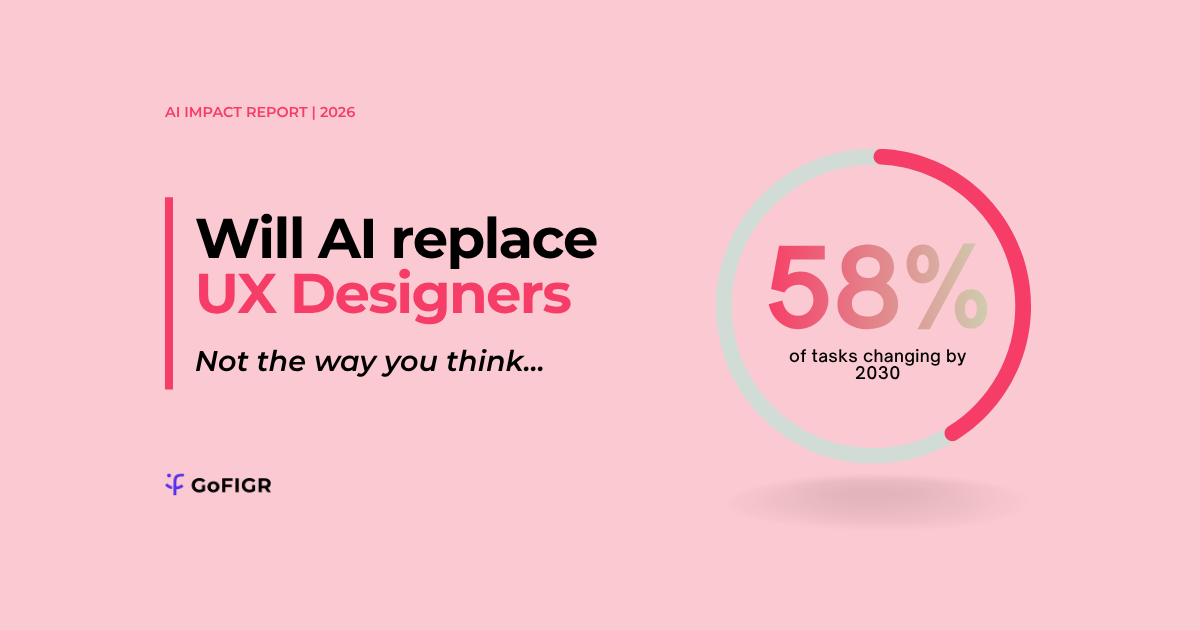
58%
of tasks changing by 2030
Task Breakdown
How AI changes each task in your role

[YOU-LEAD] Facilitate user research sessions and synthesise findings into design decisions

[STAYS-WITH-YOU] Define design strategy and translate business goals into user experience frameworks

[AI-LEADS] Generate initial wireframes and UI component variants from briefs

[AI-LEADS] Run automated accessibility audits and flag compliance issues

[FULLY-AUTOMATED] Create design handoff documentation and developer specs

[FULLY-AUTOMATED] Build and maintain component libraries for consistent design systems

[YOU-LEAD] Evaluate and select between AI-generated design options based on user and business fit

Skills Outlook
Which skills to double down on, develop, or let AI handle
Double DOWN
  • User Research Synthesis
  • Design Strategy
  • Stakeholder Communication
  • Systems Thinking
+ Develop New
  • AI Output Evaluation
  • Agent Experience Design
  • Prompt-Driven Prototyping
  • Design Ops Automation
↓ Let AI Handle
  • Manual Wireframing
  • Accessibility Checklist Review
  • Component Library Maintenance
Get your personalised breakdown
This is the general picture for the above job title. Your personalised assessment takes 3 minutes, based on what you actually do, not just your job title.
Run my free assessment →
Source: GoFIGR AI Impact Assessment
Updated May 2026

AI is already inside the UX design toolkit. It's generating wireframes from text prompts, running automated accessibility audits, synthesizing user research, and producing first-draft UI components that would have taken a junior designer half a day. The question isn't whether any of this is happening. It's which half of your week you're actually in.

What's already being automated

Figma AI generates UI mockups and layout variants from text descriptions, handles auto-layout and component creation, and flags design system inconsistencies before handoff. It's embedded in the daily workflow of most teams.

Galileo AI turns product briefs and text prompts into high-fidelity screens with full component sets, generating entire multi-step flows, including onboarding sequences and dashboards, in minutes.

Uizard converts rough sketches, screenshots, and written descriptions into interactive prototypes, making early-stage concept work dramatically faster for teams without dedicated design resources.

What the research actually says

Figma's State of the Designer 2026 survey of over 900 designers globally found that 89% say AI tools make them work faster and 91% say AI improves their design quality. The AI in Design 2026 report by Designer Fund and Foundation Capital found 91% of designers now use AI weekly for design tasks, up from 54% in 2025 — the fastest year-over-year jump the report has ever recorded. And per the Nielsen Norman Group's 2026 State of UX report, the job market is stabilising and may grow, but the split is visible: senior and generalist roles are recovering faster than entry-level positions.

AI can make weak UX look polished. Judgment, taste, and accountability are the responsibility of the designer.

Two people. Same title. Completely different week.

UX Designer A spends most of their time turning requirements into wireframes, creating component variants, fixing design system drift, preparing handoff specs, and reviewing accessibility checklists. These tasks are increasingly handled by AI tools before they even reach the designer's desk. The work exists but takes a fraction of the time, which sounds like good news but can also mean headcount decisions.

UX Designer B is running stakeholder workshops, defining research questions, identifying the gap between what users say they want and what they actually do, making calls about which AI-generated option actually fits the product strategy, and owning the design narrative from brief to shipped feature. No tool is replacing that yet, and most evidence suggests organisations are realising they need more of it, not less.

If you're in a design role right now, the most useful thing you can do is audit where your week goes. If most of it is production, the tools have already arrived to compete with you. If most of it is judgment, you're sitting in the part of the job that's getting harder to automate and more valuable as a result.

89%

of designers globally say AI tools make them work faster, per Figma's State of the Designer 2026 survey of over 900 design professionals.

91%

of designers now use AI in their design work at least weekly — up from 54% in 2025, a 37-point jump in a single year — per the AI in Design 2026 report by Designer Fund and Foundation Capital, surveying over 900 designers across 60+ countries.

69%

of UX researchers and designers now use AI in at least some of their research projects, a 19% increase from the prior year, per Maze's UX Statistics 2026 report.

The two UX Designers problem

Two people. Same title. Same firm. Completely different AI exposure. This is why a single automation risk score for "UX Designers" is only half the picture.

UX Designer A: task-heavy

Creating wireframes from briefs, producing component variants, conducting accessibility audits, preparing design handoff documentation, building prototypes from existing templates. Work that AI tools can now do faster.

Role shrinking

UX Designer B: judgment-heavy

Facilitating user research sessions, interpreting behavioural data, defining design strategy, evaluating AI-generated options against business goals, designing for AI agent experience layers. Uses systems as inputs to judgment, not as the work itself.

Role growing

What to actually do about this

If most of your week is strategic and client-facing

You're well-positioned. Use AI tools to speed up the routine parts of your work so you can go deeper where it counts.

If most of your week is process and execution

Start shifting now. Not in panic, but deliberately. Pick up the skills in the Develop New list. The processing work isn't disappearing overnight, but it's shrinking.

If you're early in your career

The traditional learning path is being disrupted. Develop judgment and critical thinking earlier than your predecessors had to. Your advantage over AI isn't speed: it's knowing when something doesn't look right.

Frequently asked questions

Curious about something else?
Drop us a question and we’ll get back to you!

Will AI actually replace UX designers, or is this just hype?
Not wholesale, but the role is restructuring fast. The production side of design, wireframes, component variants, handoff docs, is being absorbed by tools like Figma AI and Galileo. What stays human is the judgment work: knowing why a design works, reading users accurately, and making calls that tools can't verify on their own.
How long before AI handles most of what I do as a UX designer?
The shift is already underway at the production end of the job. Entry-level roles focused on execution are contracting faster than senior roles. The Nielsen Norman Group's 2026 State of UX report notes junior positions remain scarce and competitive while senior and generalist roles are recovering. You have a window, and it's measured in months not years.
Does seniority protect you from AI displacement in design?
It helps, but only if your seniority means you're doing judgment work. Senior designers who built careers on taste and execution rather than strategy and research are still exposed. The protection is in the type of work, not the title.
What happens to UX designers who don't adapt to AI tools?
They get outcompeted on output speed by designers who do. When AI-assisted designers can prototype in minutes what used to take days, anyone working manually is at a structural disadvantage in hiring and delivery. The tools aren't optional anymore.
What should I focus on learning right now as a UX designer?
Two things. First, get fluent with AI design tools: Figma AI, Galileo, and Uizard are the current standard. Second, deliberately develop the skills those tools can't replicate: user research synthesis, design strategy, and the ability to evaluate and improve AI-generated outputs rather than just accepting them.

Bring evidence to the workforce conversation

Book a conversation with our team to scope the full analysis for your organisation. Initial findings in 1 to 3 days.